

RecoveryRobot Memory Card Recovery

RecoveryRobot® Memory Card Recovery

Powerful memory card recovery software for recovering photo, video, and file from memory card used in digital camera or mobile phone

Recover from SD, SDHC, microSD, miniSD, CF, SmartMedia, MMC, XD, and more

Do-It-Yourself, Step-by-Step Memory Card Recovery; No Technician Is Needed.

Step 1. Connect Your Memory Card to Your PC

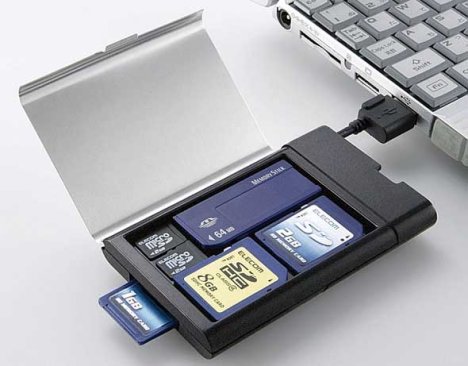
Before starting using RecoveryRobot Memory Card Recovery to recover your files, please make sure you have put your memory card in a card reader and connect it to your PC. Make sure you have installed all the required drivers or software to show the memory card properly in your PC, or your memory card will not be recognized.

Step 2. Scan the Memory Card for Recoverable Files

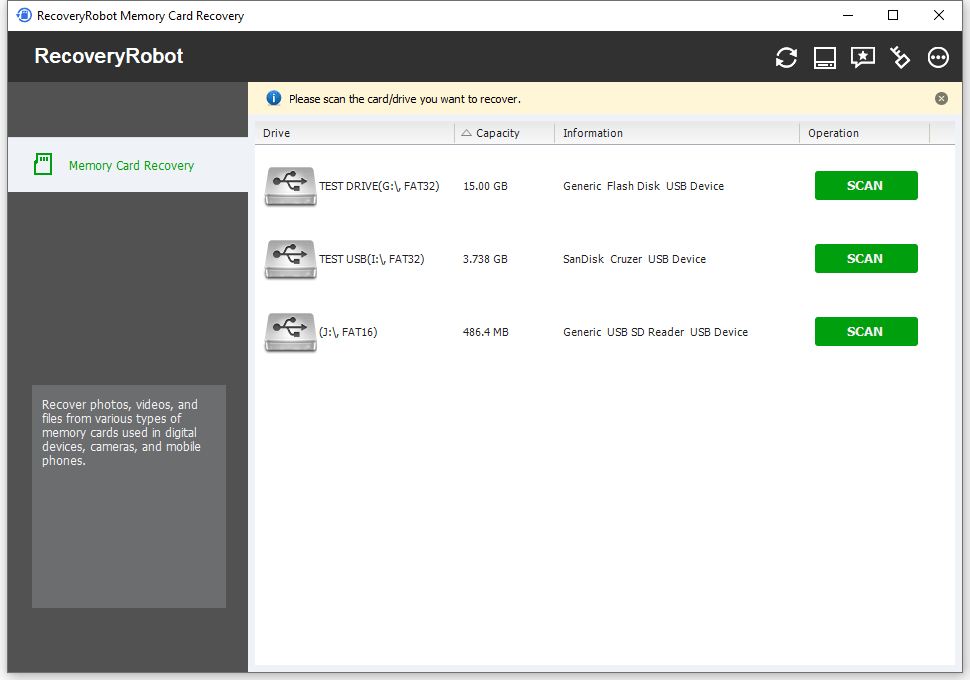
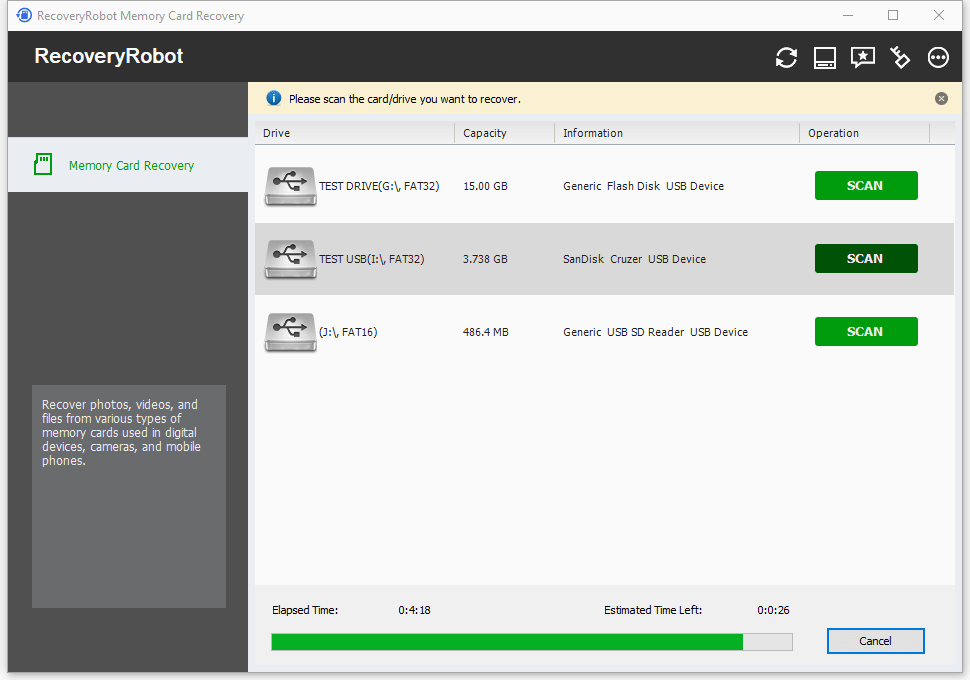
After you connected your memory card to your PC. The card will show in RecoveryRobot Memory Card Recovery, simply click the "Scan" button to start a scan for recoverable files. Please note the time it takes to complete the scan is determined by the volume of the memory card.

Step 3. Locate and Save the Recovered Data

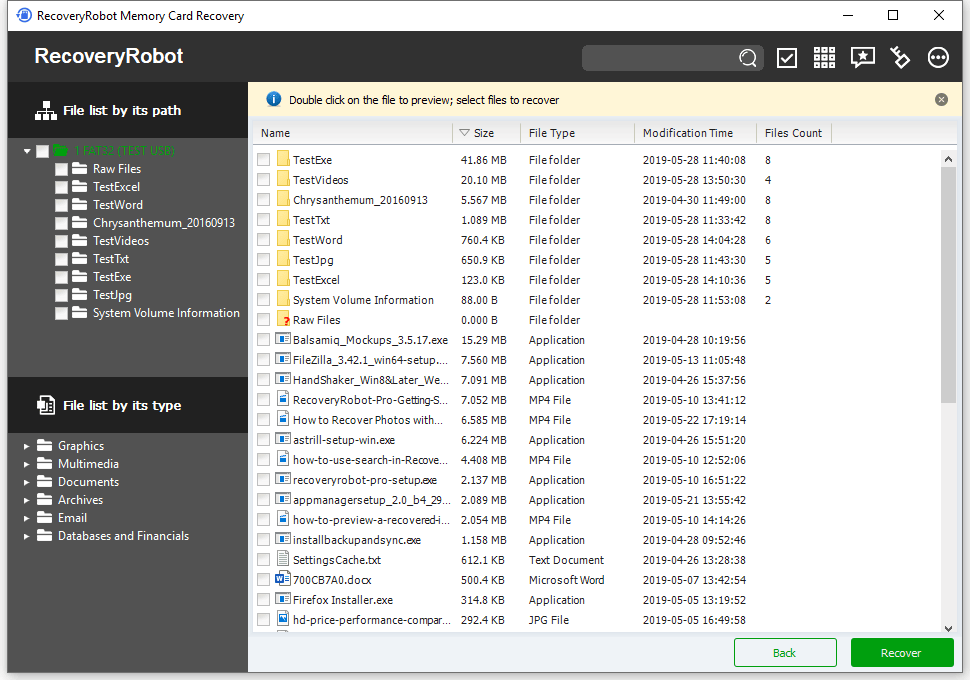
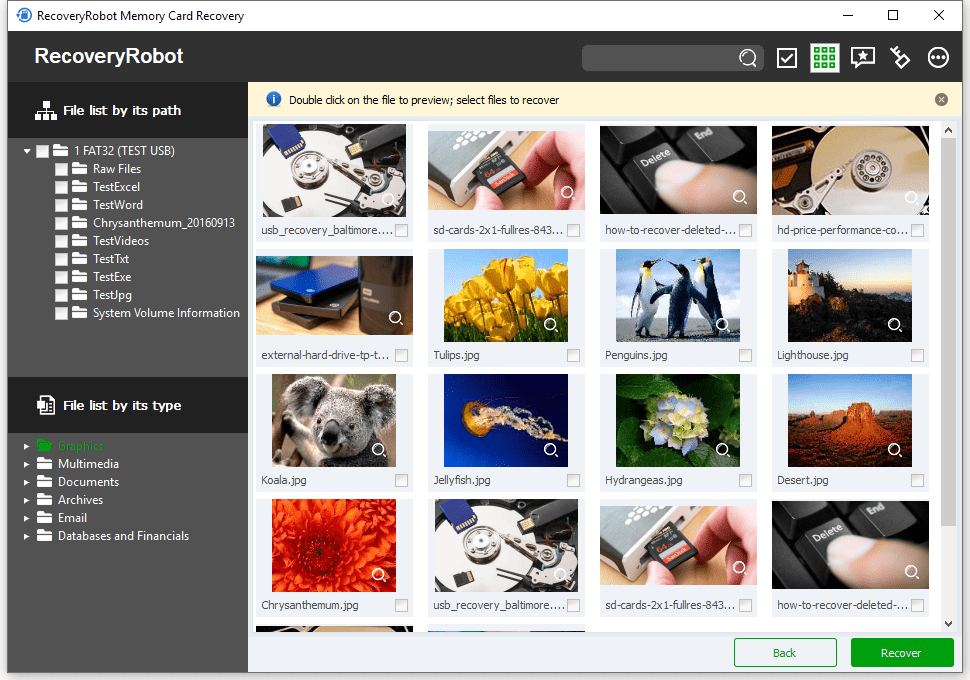
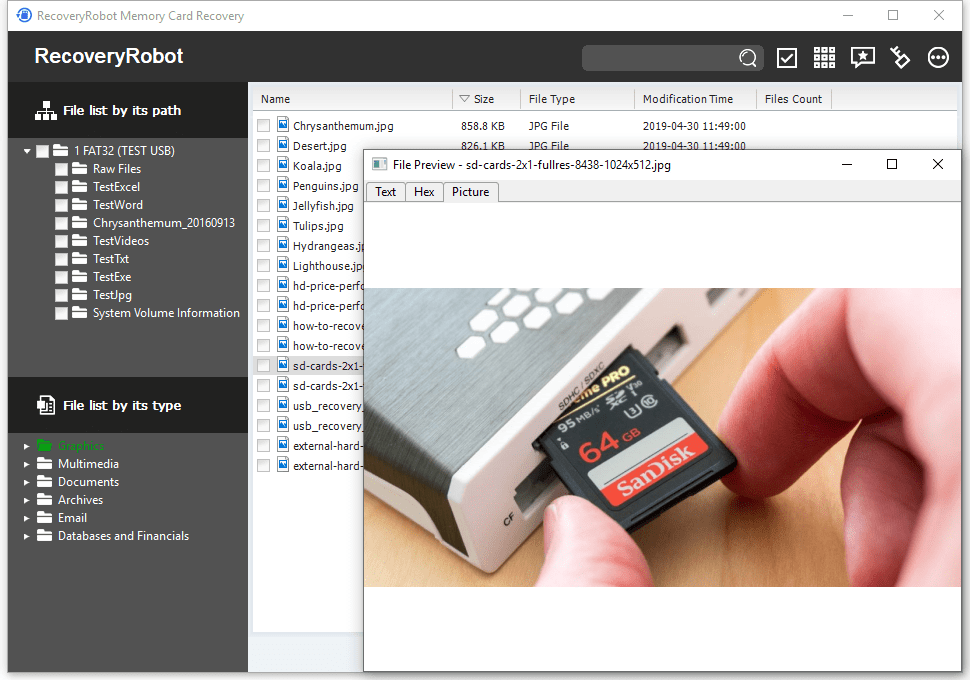
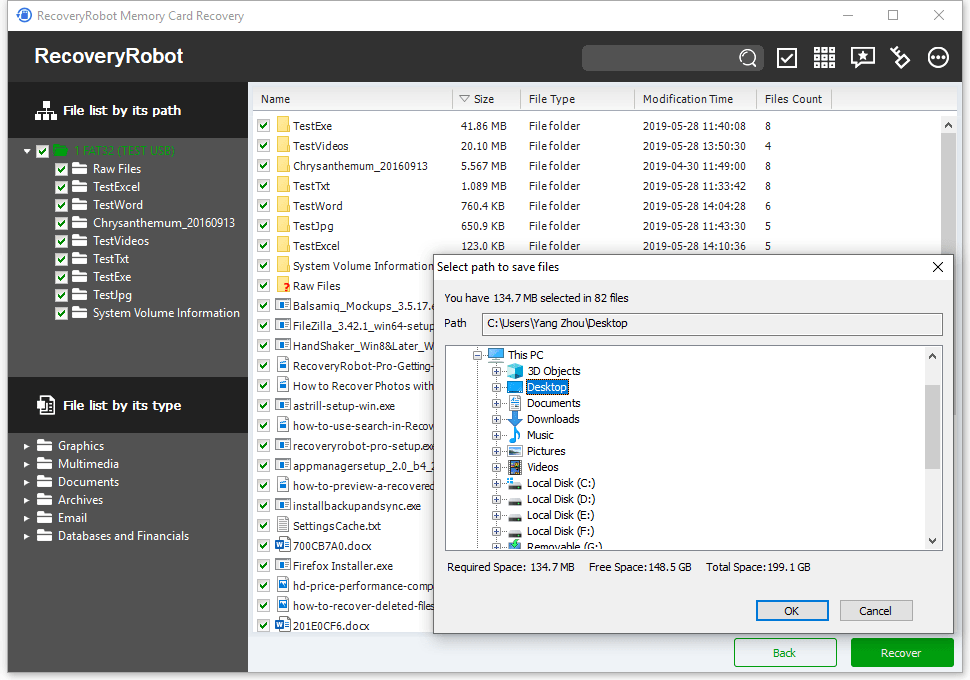
After scan is complete, you can browse and preview the photos listed in the original tree structure of the memory card. After you decide which files you want to recover, please select them all and click the “Save” button. Choose the path you want to save these files to and it’s done. Now you can see the recovered files in the destination folder.

RecoveryRobot Is Recommended by Both Pro and Ordinary Users

George Papas New Jersey, USA
"I work in the IT industry and this powerful piece of software is unlike anything I’ve ever seen."
Ann Lawrence Scunthorpe, UK
"I am very impressed with the software for ease of use and clarity of guidance, It certainly saved the day and I am delighted."

Raymond Cowie Loughborough, UK
"I cannot thank you enough and would highly recommend you to anyone who loses important stuff from their computer."

Jay Douglass Seattle, USA
"I cannot afford not to have it on my computer. It's like having fire, theft and flood insurance on your home, but on your hard drive."

Stephanie Fairey Adelaide, Australia
"You have saved me a lot of money and returned some irreplaceable data to me, and I am extremely grateful."

Jasmine Reeves Belleville, IL, USA
"I am a happy camper with a big sound of RELIEF. RecoveryRobot saved me from a huge bill and from a sleepless night! Awesome."
Submit your review
1
2
3
4
5
Submit
     
Cancel

Create your own review

Average rating:  
 110 reviews
 by mans on RecoveryRobot

I have used this recovery program several times now, and I can truly say that it has saved me many hours of hard work that I would have had to start over and do again.

 by Márcio Roberto on RecoveryRobot

Excellent app for recovering lost images from a compact flash. It’s the best app.

 by Андрей on RecoveryRobot

I've been using it for a long time and don't look for other programs. I scanned a terabyte drive that doesn’t 'show up' in any other program!

 by Dr.Riham EL Shaer on RecoveryRobot

THE ONE and ONLY BEST data RECOVERY tool EVER .... SOOO GRATEFUL

 by Pavel on RecoveryRobot

Great program, recovers files from damaged disks really well

Page 1 of 22:
«
 
 
1
2
3
 
»